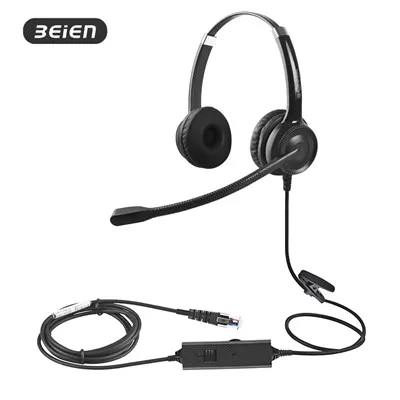
Yuav ua li cas teeb tsa lub mloog pob ntseg hauv PC?
Tso lus
Kev teeb tsa lub mloog pob ntseg ntawm lub PC yog qhov yooj yim heev, tsuas yog yuav tsum muaj ob kauj ruam: kev sib txuas ntawm lub cev thiab kev teeb tsa.
Kauj Ruam 1: Kev sib txuas ntawm lub cev
Txuas koj lub mloog pob ntseg rau koj lub computer kom raug, nyob ntawm koj lub mloog pob ntseg:
- USB-A Headsets: Plug ncaj qha rau hauv ib qho chaw nres nkoj USB ntawm koj lub computer (rau cov khoos phis tawj desktop, nws raug nquahu kom siv USB chaw nres nkoj nyob tom qab kom ruaj khov thiab ua haujlwm tau zoo).
- PC2 * 3.5mm Headsets (3.5mm dual plug): Ntsuab ntsaws → Plug rau hauv lub tsho ntsuab (feem ntau cim nrog lub mloog pob ntseg); Pink plug → Plug rau hauv lub tsho liab (feem ntau cim nrog lub microphone icon).
- MP3.5mm Headsets (3.5 Ib Plug): Koj yuav tsum yuav "3.5mm headset/microphone splitter." Txuas ib kawg rau koj lub mloog pob ntseg, thiab lwm qhov kawg muaj ob lub ntsaws (ntsuab thiab liab). Txuas cov no rau hauv cov jacks sib txuas ntawm koj lub computer.
Kauj ruam 2: Qhov System Settings (kom paub tseeb tias lub mloog pob ntseg tau lees paub)
Start --> Settings --> System --> Sound -->Nyem "Ntau lub suab nqis" lossis "Sound Control Panel"
1. Playback Tab
- PC2 * 3.5mm interface: Nrhiav "Hais Lus Realtek High Definition Audio" lossis lub npe zoo sib xws, txoj cai - nyem rau ntawm lub cuab yeej, thiab xaiv "Teem raws li Default Device". Tom qab ua tiav, nws cov xwm txheej yuav tsum qhia "Default Device", thiab lub cim ntsuab yuav tshwm nyob rau sab xis sab xis.
- USB interface: Nrhiav koj lub mloog pob ntseg, xaiv "Teem raws li Default Device" (xws li, U17 Headset), thiab lub cim ntsuab yuav tshwm nyob rau sab xis sab xis.

2. Cov ntaub ntawv tab
- PC2 * 3.5mm interface: Nrhiav lub cuab yeej nrog lub npe "Realtek High Definition Audio Microphone" los yog zoo sib xws, txoj cai - nyem rau ntawm nws, thiab xaiv "Teem raws li Default Device". Tom qab ua tiav, nws cov xwm txheej yuav tsum qhia "Default Device", thiab lub cim ntsuab yuav tshwm nyob rau sab xis sab xis.
- USB interface: Nrhiav koj lub mloog pob ntseg, xaiv "Teem raws li Default Device" (xws li, U17 Headset), thiab lub cim ntsuab yuav tshwm nyob rau sab xis sab xis.

3. Yog tias koj nrhiav tsis tau koj lub cuab yeej hauv txoj kev saum toj no tom qab ntsaws koj lub mloog pob ntseg,
- txoj cai- nyem rau ntawm thaj chaw khoob ntawm daim ntawv thiab kos "Qhia cov khoom siv tsis taus".
- Yog tias koj pom koj lub mloog pob ntseg lossis lub microphone tsis ua haujlwm (nrog tus xub nqes), txoj cai -nias kom qhib nws thiab teeb nws ua "default device".
Keywords: zoo tshaj plaws wired headphones nrog mic, suab nrov cancelling headset pc, usb headset microphone, suab nrov cancelling hu center headset, tshaj pob ntseg headset